
Welcome to the ultimate toolbox for Transaction Coordinators — a complete library of free systems, templates, spreadsheets, scripts, and workflows designed to make your job easier, faster, and more profitable.
Every tool here is created to help you:
- Streamline contract-to-close workflows
- Stay organized across multiple clients
- Improve communication with agents, lenders, and title
- Work more efficiently
- Deliver a higher-end service that clients rave about
Bookmark this page, use these tools daily, and come back often — new downloads are added regularly.
Tracking Spreadsheets, Calculators & Templates
Transaction Summary Sheet Template (edit TSS as docx, then download as pdf and send to escrow)
Transaction Pipeline Tracker (view ALL active files at a glance)
Escrow Timeline Master Sheet (Auto-calculates all deadlines from the contract date)
Inspection Coordination Tracker
Commission Disbursement Tracker
Vendor Directory Spreadsheet (Lender, Title, TCs, Contractors, etc)
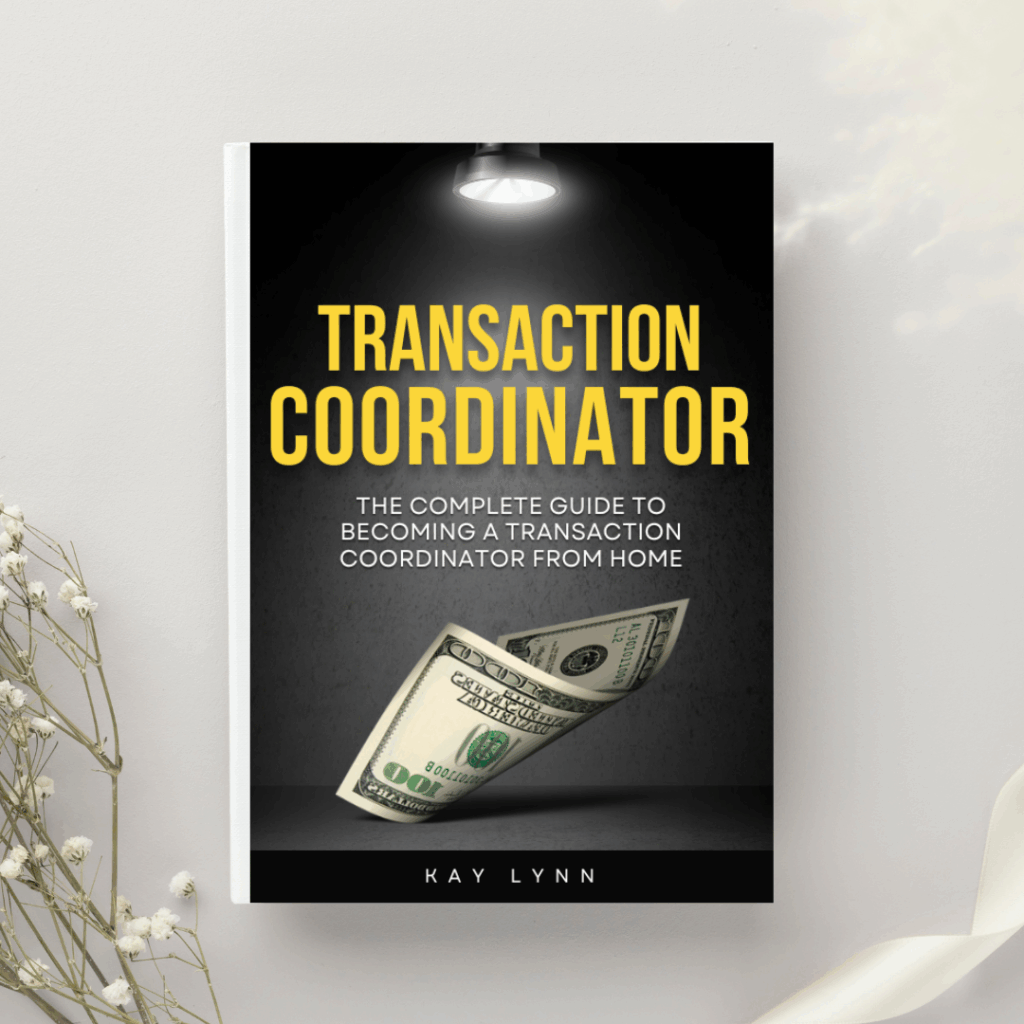

Instantly download our complete Transaction Coordinator Book and get everything you need in one place—whenever you need it. Inside, you’ll unlock all 20 training modules and tools that TCs use to run a profitable business.

SOPs (Standard Operating Procedures)
Below are SOPs for TCs, VAs and Marketing Support
TC SOPs
TC SOP #1 — How to Open a New File (Step by Step)
1. Receive the Contract
- Review for signatures, initials, dates
- Confirm legal property address
- Verify offer terms (price, dates, contingencies, items included)
2. Create the File in Your System
- Add file to your CRM / TC software
- Assign file ID
- Upload fully executed contract
- Create digital folders (Example: Offer Packet, Disclosures, Amendments, Finance, Title, Inspections, Closing)
3. Add All Contacts
- Agent
- Client(s)
- Cooperating agent
- Lender
- Title/Escrow Officer
- Inspector (if known)
- HOA (if applicable)
4. Input All Contract Dates
- Inspection deadline
- Appraisal deadline
- Loan approval
- EM deposit date
- Closing date
- Any contingency removal dates
- Add reminders + automated alerts
5. Send Introduction Emails
- Buyer/Seller introduction
- Lender introduction
- Title introduction
- Cooperating agent introduction
(Include your role, your hours, expectations, and what comes next)
6. Request Initial Documents
- Seller disclosures
- HOA docs
- Any missing signatures
- EM receipt once deposited
7. Prepare a Timeline Sheet for the Agent & Client
- Confirm all deadlines
- Send a clear, one-page “What Happens Next” timeline
TC SOP #2 — How to Deliver Weekly Updates
1. Send updates every Monday (or chosen day)
Consistency builds trust.
2. Include 6 things in every update:
- Status of contingencies
- Any missing documents
- Notes from lender
- Notes from title
- Upcoming deadlines for the coming week
- Action steps required from client/agent
3. Keep it concise
Use bullet points or a 5–7 sentence format.
4. Copy all relevant parties
Agent, lender, client (if the agent approves), title.
5. Log each weekly update in the file
Important for compliance + transparency.
TC SOP #3 — How to Organize a Contract Packet
1. Create folders
- Executed Contract
- Disclosures
- Addendums/Amendments
- Earnest Money
- Inspections
- Appraisal
- Title/Escrow
- Lender Docs
- Closing Docs
2. Rename documents clearly
Format:
“2025-01-19 – Executed Contract – 123 Main St – Last names of seller/buyer.pdf”
3. Save everything twice
- Once in your CRM
- Once in your cloud folder backup (Google Drive, Dropbox, OneDrive)
4. Keep documents in chronological order
5. Maintain an audit trail
Never delete replaced documents
→ Mark them as Superseded
TC SOP #4 — How to Handle Inspection Coordination
1. Request preferred inspectors from agent or client.
2. Provide a list of 3 inspectors if needed.
3. Schedule the inspection (or confirm client scheduling)
- Verify date, time, access method, who is attending
- Add to calendar for all parties
4. Send confirmation email
Include instructions, expectations, and duration.
5. Receive inspection report
- Save in the file
- Notify the agent immediately
6. Track repair request deadline
- Add reminder 48 hours and 24 hours before
- Send gentle reminders to the agent
TC SOP #5 — How to Prepare the CD & Closing File
1. Request CD (Closing Disclosure) from the lender or title
2. Review for accuracy
- Commissions
- Credits
- Fees
- Names
- Prorations
- HOA balances
- Seller concessions
- Contract terms alignment
3. Send to agent for approval
4. Deliver CD to client
→ Ensure lender meets the 3-day rule for TRID closings
5. Prepare Closing File Packet
Include:
- Final executed contract
- All addendums
- Disclosures
- Earnest money receipt
- Inspection items / repair invoices
- Appraisal
- Title commitment
- Preliminary CD
- Final CD (after closing)
6. Save final file for broker compliance
TC SOP #6 — How to Communicate with All Parties Professionally
1. Respond within 4 business hours (even if just to acknowledge).
2. Always be neutral — never emotional or opinionated.
3. Use “info sandwich” format:
- Start with positive
- Deliver info/issue
- End with solution or reassurance
4. Keep emails short
3–6 sentences max.
5. Never blame another party; focus on solutions.
6. Document all phone calls with summary notes.
VA SOPs (Real Estate Virtual Assistant SOPs)
VA SOP #1 — How to Respond to Leads
1. Respond within 5 minutes (ideal)
2. Use a simple script:
“Hi ____, thanks for reaching out! I can help with that.
What property or area are you most interested in?”
3. Log lead into CRM
- Name
- Phone
- Lead source
- Notes
- Timeline
4. Assign follow-up tasks
- Day 1
- Day 3
- Day 7
- Weekly until converted or closed
5. Notify the agent instantly
Include summary + suggested next steps.
VA SOP #2 — How to Manage an Agent’s Email
1. Create folders:
- Urgent
- Active Clients
- Listings
- Buyers
- Leads
- Marketing
- Brokerage
- Personal
- Archive
2. Each morning:
- Clear spam
- Sort emails
- Flag anything requiring agent action
- Prep replies for agent approval
3. Set up filters & rules
Keep inbox at “Inbox Zero” daily.
4. Follow tone & style guide for replies
Consistency is key.
VA SOP #3 — How to Update All Listings Weekly
1. Check MLS for updates
- Status
- DOM
- Price changes
- Competing listings
2. Update marketing materials
- Flyers
- Social posts
- Website
- IDX feed
3. Send weekly seller update email
Include: showings, feedback, market activity, recommendations.
4. Log update in listing file
VA SOP #4 — How to Manage Social Media Posting
1. Create a weekly content calendar
Posts needed:
- 2 listing posts
- 1 market update
- 1 behind the scenes
- 1 educational tip
- 2 story sets
2. Design graphics in Canva
3. Schedule at least 1 week at a time
Use Meta Business Suite or Later.
4. Track engagement
Adjust based on performance.
VA SOP #5 — How to Prepare Open House Materials
1. Request info:
- Photos
- Price
- Description
- Agent notes
- Time & address
2. Prepare:
- Flyer
- Sign-in sheet
- Feature sheet
- Neighborhood amenities sheet
- Social media graphic
- Directional sign map
- Feedback form
3. Deliver in PDF + print-ready format.
Marketing Support SOPs
Marketing SOP #1 — How to Run Facebook Ads for Listings
1. Get listing details + media
- Photos
- Video
- Address
- Price
- Property features
2. Go to Meta Ads Manager
3. Objective:
→ Lead Generation OR Traffic
4. Targeting:
- 15-mile radius around property
- Age 26–65
- Homeownership interests optional
5. Budget:
$5–$15 per day
6. Create the ad:
- Upload photos/video
- Add headline
- Add description
- Add CTA (Learn More / Sign Up)
- Add lead form (if used)
7. Publish + monitor
Adjust after 48–72 hours.
Marketing SOP #2 — How to Post Listing Tours
1. Create a 30–60 second highlight reel
Focus on:
- Exterior
- Kitchen
- Living area
- Primary bedroom
- Backyard
2. Add captions + music
3. Upload to:
- TikTok
- YouTube Shorts
- Pinterest Idea Pins
4. Use the same caption everywhere
Include price, location, features, CTA.
Marketing SOP #3 — How to Design Templates for Agents
1. Gather brand info:
- Logo
- Colors
- Fonts
- Style examples
2. Design in Canva:
- Just listed
- Just sold
- Under contract
- Open house
- Market update
- Testimonial post
- Reels cover
- Flyers
3. Save in editable format
Share in a folder the agent can reuse.
Marketing SOP #4 — How to Manage a Content Calendar
1. Create categories:
- Listings
- Market Updates
- Educational
- Personal/brand
- Social proof
- Video/Reels
2. Plan 2–4 weeks at a time
3. Use a spreadsheet or Trello/Asana board
4. Add:
- Post type
- Caption
- Graphic
- Platform
- Posting date
- Status (draft/scheduled/live)
5. Schedule using a scheduler
6. Review weekly for performance
SCRIPTS
(For TCs, VAs, Marketing Support)
SECTION 1 — Scripts for Transaction Coordinators (TCs)
1. “Quick Intro” Script
Hi [Name], I’m a Transaction Coordinator who helps busy agents free up hours each week.
If you ever want to hand off contract-to-close so you can focus on clients and lead gen, I’d love to support you. Want my pricing + workflow?
2. “I Noticed Your New Listing” Script
Congrats on your new listing!
If you’d like help with coordination once it goes under contract, I’d be happy to make the process smooth and fully managed for you.
Want me to send over my TC checklist?
3. “You’re Growing Fast” Script
Hey [Name], I noticed you’ve been really active recently.
If your pipeline is getting busy, I can take the contract-to-close load off your plate. It usually saves agents 10–15 hours per file.
Can I send you a sample workflow?
4. “Free Value First” Script
Hi [Name], I put together a free TC resource that many agents love —
a Contract Deadline Tracker + Earnest Money Checklist.
Want me to send it to you? No pitch, just helpful resources.
5. “Follow-Up With Value” Script
Hi [Name], just checking in.
I’d love to support you on your next contract-to-close.
My turnaround is fast, communication is clear, and agents say it feels like adding a full-time team member—minus the overhead.
Want availability?
6. “Open File Offer” Script
If you ever need a TC last minute, I’ll jump in immediately and get everything organized same-day.
You can send your next file to me anytime—here’s my upload link.
7. “Agent Pain Point” Script
If paperwork, deadlines, and follow-ups are pulling you away from buyers and sellers, I can take it all over for you.
Want to try me for your next contract? No commitment.
SECTION 2 — Scripts for Real Estate Virtual Assistants
1. “I Handle the Tasks That Slow You Down” Script
Hi [Name], I’m a Real Estate VA who specializes in taking repetitive tasks off agents’ plates.
If you’re slammed with admin work, I can help you reclaim hours daily.
Want a list of everything I can handle?
2. “Lead Gen & Admin Combo” Script
Hey [Name], if you could hand off your marketing tasks, inbox management, and lead follow-up, would it free up your day?
That’s exactly what I do. Can I send pricing + availability?
3. “Free Audit” Script
Hi [Name], if you want, I can do a free audit of your systems and tell you where you can save the most time. No pitch.
Want me to run one for you?
4. “You’re Missing Leads” Script
Agents are losing leads because follow-up isn’t consistent.
I can manage your CRM + automate follow-up so nothing slips through the cracks.
Want me to show you how?
5. “Try Me for 1 Week” Script
Want to test a VA without a long-term commitment?
I can support you for one week so you can see what it’s like to have admin fully handled.
SECTION 3 — Scripts for Real Estate Marketing Support Providers
1. “Your Marketing Should Work While You Sleep” Script
Hi [Name], I help agents create automated marketing that brings in leads 24/7.
If you want stronger branding or more consistent lead gen, I’d love to help.
2. “Free Social Media Audit” Script
Want a free, quick look at your IG/FB to see what posts would convert better?
I offer free audits — want one?
3. “Branding Cleanup Pitch” Script
Your listings + social media could pop more with cohesive branding.
I create clean, professional templates agents love.
Want to see examples?
4. “High-Quality Listing Marketing” Script
I design listing packages that stand out — flyers, postcards, social posts, and stories that help your listings get more attention.
Want samples?
5. “Content That Actually Converts” Script
If you’re tired of social posts that get no engagement, I can help.
I create content that brings in leads, not just likes. Want some free ideas for your brand?
SECTION 4 — Scripts for All (TC + VA + Marketing)
1. The “Soft Ask” Script
If you’re ever open to adding someone to your support system, I’d love to be that person. Want info?
2. The “Foot in the Door” Script
Want a free resource that’ll save you time? I created one that agents really love. Want me to send it?
3. The “I Work Quietly in the Background” Script
My goal is to make your life easier without adding extra work for you.
If you want someone who handles things without hand-holding, I’d love to support you.
4. The “Try Me on One File” Script
Let me take your next file and you’ll instantly feel the difference in your workload — no contract or commitment.
5. The “Referral Builder” Script
If you already work with someone, that’s great — I’m happy to be your backup when things get busy.