

Module 1
What a Transaction Coordinator Does: Complete Contract-to-Close Training (For All States)
Overview of the Transaction Coordinator Role
A Transaction Coordinator (TC) manages the administrative, compliance, and communication tasks required to move a real estate transaction from executed contract → funded closing. The TC does not negotiate terms, give legal advice, or practice real estate without a license (state-specific), but they ensure the transaction runs smoothly, on time, and with full documentation. After completing all modules, check out our Forms by State page to access official Real Estate Forms in each state (located in our Free Resources section)
What a Transaction Coordinator Actually Does
Below is a summary of TC responsibilities. Each future page expands these areas in depth and sometimes in repeat so you fully understand. You will get most of your information to process a “file” or “transaction” from the Purchase Agreement that your Real Estate Agent Client sends you, including deadlines for inspections, appraisals, who to contact at the title company, etc. Your “system” can be as simple as Google Sheets or TC software if you wish to pay for those tools.
Core Responsibilities
1. File Intake & Contract Review
- Receive the executed contract
- Confirm document completeness
- Verify signatures, initials, dates
- Identify missing addenda
- Log critical deadlines
- Open file in TC system/CRM
2. Timeline Management
- Inspection deadline tracking
- Appraisal timeline tracking
- Loan approval monitoring
- HOA, title, escrow milestones
- Final walkthrough, signing, closing schedule
3. Communication Management
A TC is the hub of communication between:
- Buyer agent
- Listing agent
- Title company or attorney
- Lender
- HOA or management company
- Appraiser
- Inspectors
- Clients (if authorized by the agent)
4. Document Compliance
- Uploading documents to broker
- Ensuring legal forms are complete (varies by state)
- Retaining documents in secure storage
- Final file delivery
5. Closing Preparation
- Coordinating CD distribution
- Scheduling signing and walkthrough
- Confirming funding & recording
- Post-closing task completion
Legal and State-Specific Limitations
A Transaction Coordinator cannot:
- Interpret legal contract language
- Give legal advice
- Draft legal documents
- Negotiate terms
- Advise on pricing, offers, or counteroffers
- Practice real estate in states requiring a license for TC duties
Important:
Some states require a real estate license to perform ANY transaction coordination duties. Examples:
- Colorado (strongly recommended)
- Nevada (required)
- Texas (varies by brokerage)
- North Carolina (varies)
These modules will teach neutral, universally safe TC practices.
The Entire Real Estate Transaction at a Glance
This is the master flow, which you will learn in detail across the 20 modules.
- Executed Contract Received
- Open escrow/title (email title company and tell them to open escrow)
- Distribute introductions
- Log critical deadlines
- Inspection period
- Appraisal ordered + completed
- Loan underwriting + conditions
- Title commitment + HOA docs
- Repairs negotiated (agent task)
- Final walkthrough
- CD (Closing Disclosure) issued
- Signing appointments scheduled
- Funding & recording
- Post-close file completion
The TC manages all steps except negotiating.
Skills Needed to Become an Exceptional Transaction Coordinator
Organizational Skills
A TC handles an average of 25–40 active files using structured workflows, automation, and checklists.
Communication Mastery
Clear, timely communication prevents delays and reduces agent stress.
Deadline Tracking
Every state specific Purchase Agreement has strict contractual timelines, just read and understand them.
Technology Literacy
A TC must be proficient in email platforms, PDF editors, e-sign tools, CRMs, and task management systems.
Neutrality and Professionalism
The TC is a neutral party ensuring completion—not a negotiator.
Quick-Start Checklist for New Transaction Coordinators
Use this immediately.
✔ Before You Begin
- Set up business email
- Choose your CRM or TC platform, or just use Google Sheets
- Set up a standardized file naming structure (ie, Address_Seller Name_Buyer Name_Date.PDF)
- Create templates for email, introductions, and weekly updates
- Prepare compliance folder structure
- Create a deadline tracking spreadsheet
✔ When You Receive a Contract
- Save the file
- Review for completeness
- Confirm all addenda (any addendums that must accompany the Purchase Agreement)
- Apply naming structure
- Enter deadlines into your system
- Open escrow
- Send intro email to all parties
- Update agents
✔ During the Transaction
- Track deadlines
- Communicate weekly
- Update lender and title
- Monitor appraisal
- Monitor repairs
- Confirm loan status
- Prepare for closing
✔ At Closing
- Confirm CD issued
- Confirm walkthrough
- Confirm signing
- Confirm funding
- Deliver final file
- Close out transaction
Sample Introduction Email Template (TC → All Parties)
You will receive more templates later, but here is a foundational one.
Subject: Introduction – Transaction Coordinator for [Property Address]
Hello everyone,
My name is [Your Name], and I will be your Transaction Coordinator for the transaction at [Property Address]. My role is to support all parties, manage documentation, oversee timelines, and facilitate communication from contract to closing.
Below is a summary of key details:
- Buyer Agent:
- Listing Agent:
- Lender:
- Escrow/Title:
- Inspection Deadline:
- Appraisal Deadline:
- Loan Approval Deadline:
- Closing Date:
Please CC me on all communications related to this file.
If you require anything specific, feel free to reach out.
I look forward to a smooth and successful closing.
Best regards,
[Your Name]
Transaction Coordinator
Contact Information
***Some title companies may want a TSS (Transaction Summary Sheet). This sheet gives all information on one sheet like buyer and seller info, lender info, etc.
Master Workflow (Google-Sheets Ready)
Below is the starter version of your workflow.
Columns:
- Task
- Who Is Responsible
- Due Date
- Completed
- Notes
- Documents Needed
- Status (Not Started / In Progress / Needs Agent / Complete)
Initial Workflow Steps
| Task | Responsible | Due Date | Documents Needed |
|---|---|---|---|
| Receive executed contract | Agent → TC | Day 0 | Contract, Addenda |
| Review contract | TC | Day 0 | All documents |
| Enter deadlines | TC | Day 0 | Calendar |
| Open escrow | TC | Day 0–1 | Contract |
| Send introductions | TC | Day 1 | Intro email |
| Request HOA docs (if applicable) | TC | Day 1 | HOA contacts |
| Schedule inspections | Agent/Buyer (state-specific) | Within inspection period | Buyer info |
| Track appraisal | Lender/TC | Appraisal deadline | Contract |
| Confirm loan approval | Lender/TC | Loan deadline | Lender conditions |
| Schedule closing | TC | Week of closing | Title/attorney |
Practice Workflow
Let’s pretend you’re coordinating for the buyer’s side:
STEP 1: REVIEW THE CONTRACT (BEFORE YOU TOUCH ANYTHING)
Do not start sending emails yet. First, read the entire contract once front to back.
You are checking for:
All signatures & initials present
Effective date (this controls ALL deadlines)
Purchase price & financing type
Earnest money amount & deadline
Inspection period length
Appraisal & financing contingencies
Closing date
Any special provisions
If anything is missing or unclear, stop and notify the agent before proceeding.
STEP 2: CONFIRM THE EFFECTIVE DATE (MOST IMPORTANT)
The effective date is usually:
The date the last party signed, OR
Explicitly stated in the contract
Why this matters
Every deadline flows from this:
Inspection
Earnest money
Financing
Appraisal
Closing
Write it down immediately.
STEP 3: CREATE YOUR TRANSACTION FILE
Whether you use:
Your own computer drive
Google Drive
Dropbox
TC software (Skyslope, Dotloop, Brokermint, etc.)
Create a folder named like:
> 123 Main St – Buyer – Lastname – Effective Date
Inside the folder:
Executed purchase contract
Disclosures (if provided)
Amendments (future)
Receipts & confirmations
STEP 4: ENTER DEADLINES INTO A TRACKING SYSTEM
This is where TCs earn their money.
At minimum, track:
Earnest money due date
Inspection deadline
Objection / resolution deadline
Appraisal deadline
Financing deadline
Closing date
Use:
Spreadsheet
Calendar with reminders
TC software
Set reminders 2–3 days before each deadline.
STEP 5: SEND “FILE OPENED” CONFIRMATION EMAILS
Once everything is reviewed and logged, send confirmation emails.
Typically notify:
Your agent
Opposing TC (if there is one)
Title company / attorney (depending on state)
Purpose:
Let everyone know you are the TC
Confirm receipt of the contract
Confirm the effective date
STEP 6: ORDER TITLE / OPEN ESCROW
What you’ll send:
Executed contract
Contact info for buyer & agent
Earnest money details
Log the title company’s file number once received.
STEP 7: CONFIRM EARNEST MONEY HANDLING
This is a critical liability point.
Check:
Who is holding earnest money?
Deadline to deliver?
Method (wire, check, portal)?
Then:
Notify the buyer’s agent
Calendar the deadline
Follow up until confirmed received
Never assume this gets handled without confirmation.
STEP 8: REQUEST MISSING DOCUMENTS (IF ANY)
Common missing items:
Seller disclosures
HOA docs
Lead-based paint (if applicable)
Send a polite, professional request to the other side.
STEP 9: CONFIRM INSPECTION SCHEDULING RESPONSIBILITY
Clarify:
Does the agent schedule inspections?
Or do you assist?
At minimum:
Calendar inspection deadline
Remind agent before it expires
WHAT YOU DO NOT DO AS A TC
To protect yourself legally you DO NOT:
Give legal advice
Interpret contract terms for clients
Negotiate amendments
Change deadlines without written instruction
You track, coordinate, document, and remind.
SIMPLE TC MINDSET
“If it’s not documented, it didn’t happen.”
Always:
Save emails
Save confirmations
Save receipts
Save amendments
QUICK FIRST-CONTRACT CHECKLIST
Contract fully signed
Effective date confirmed
File created
Deadlines entered
Confirmation emails sent
Title opened
Earnest money tracked
Missing docs requested
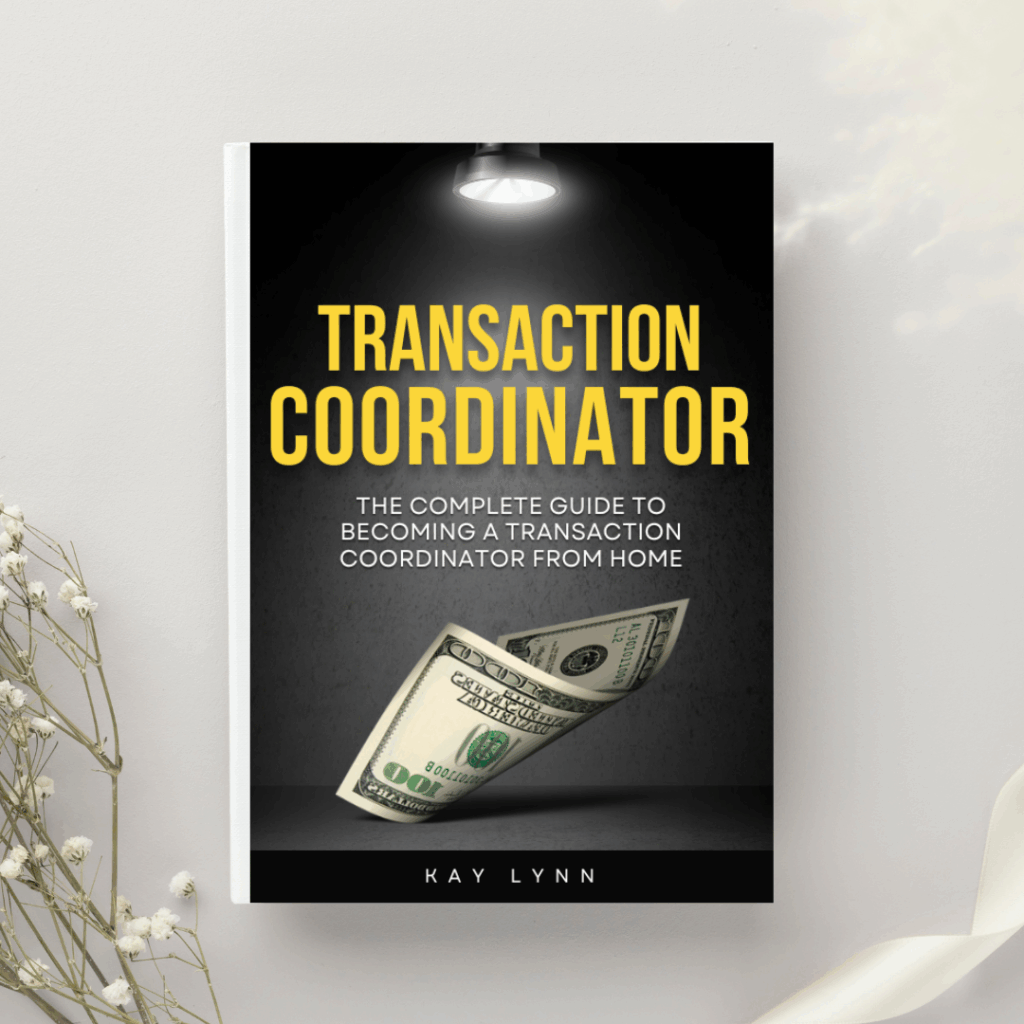

Instantly download our complete Transaction Coordinator eBook and get everything you need in one place—whenever you need it. Inside, you’ll unlock all 20 training modules, plus direct links to all the spreadsheets, templates, and tools that TCs use to run a profitable business.

You are now ready to move on to the next module!